

Less tagging.
More thinking.

Looppanel does the groundwork so you can share insights 10x faster.

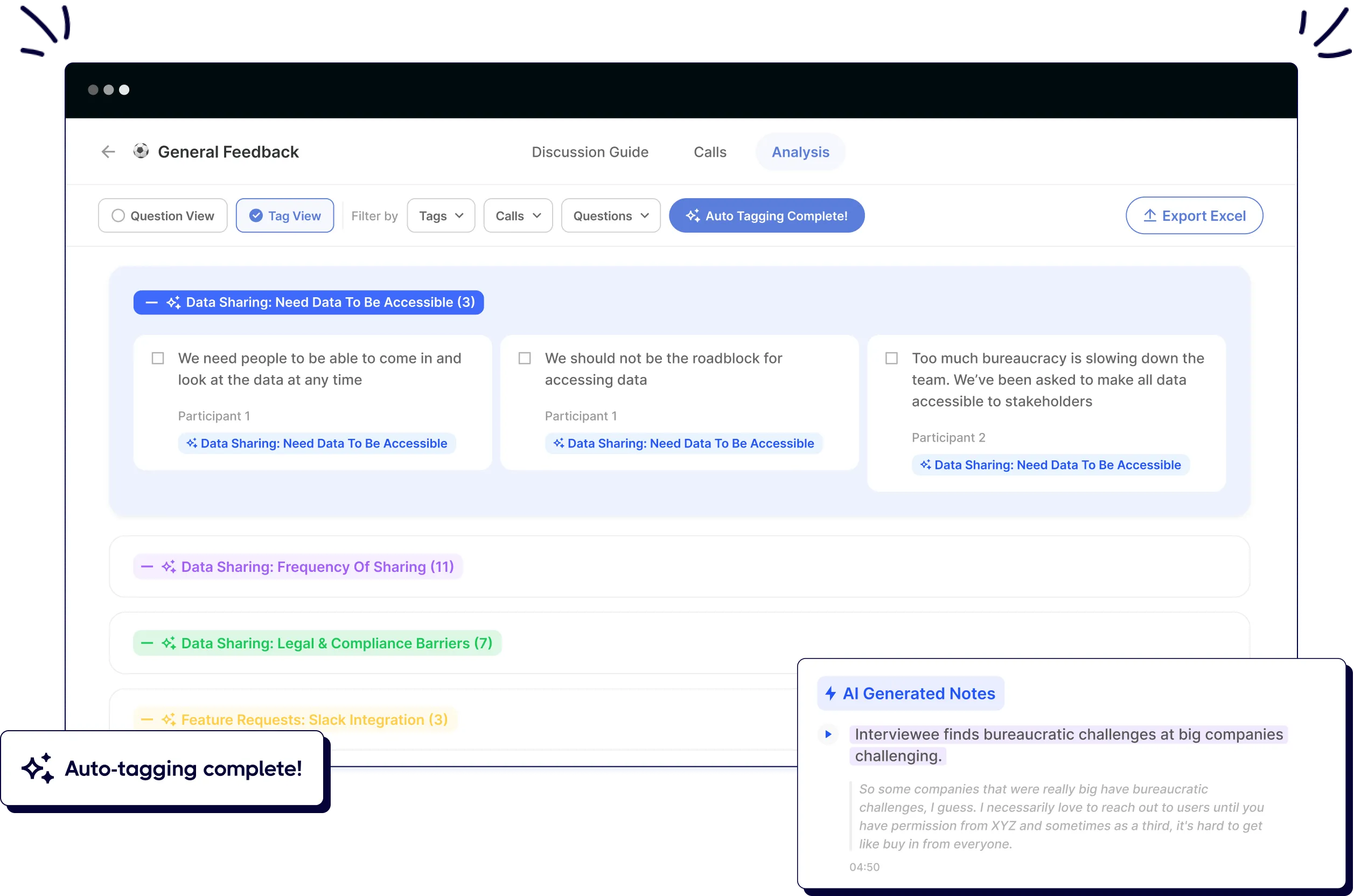
User interface showing analysis tab with auto-tagged feedback on data sharing and AI-generated notes.
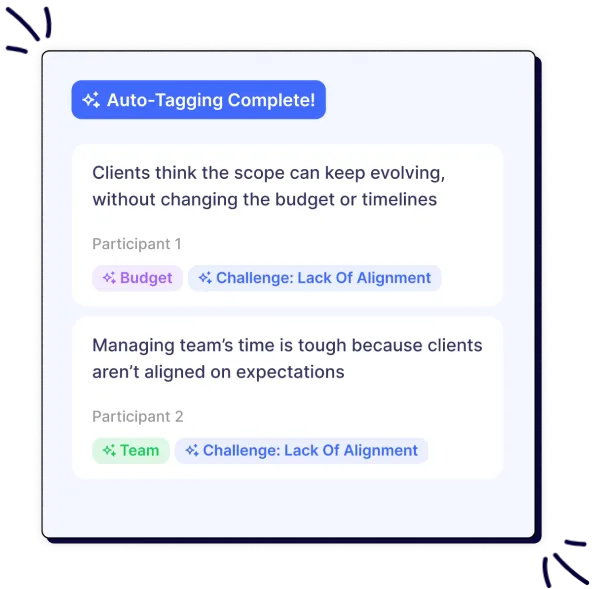
Screenshot of auto-tagging example showing client quotes with tags for budget, team, and alignment challenges.

I love their auto-note generation and the brand new AI-tagging feature! It saves so so much time. It's a must have.

Smiling man with short dark hair and beard wearing a blue shirt against a light purple background.
Azeem K
Clinical Operations Lead

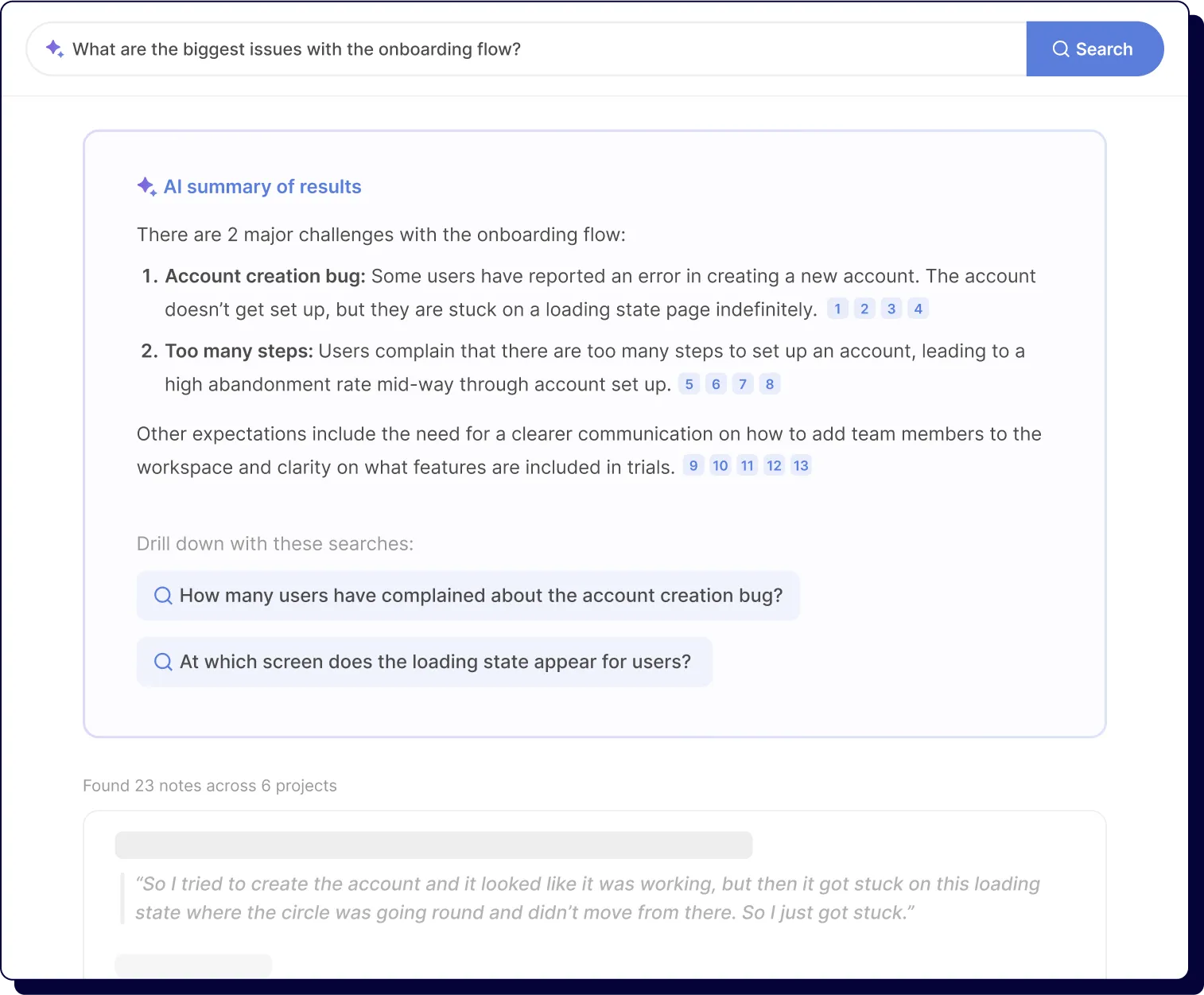
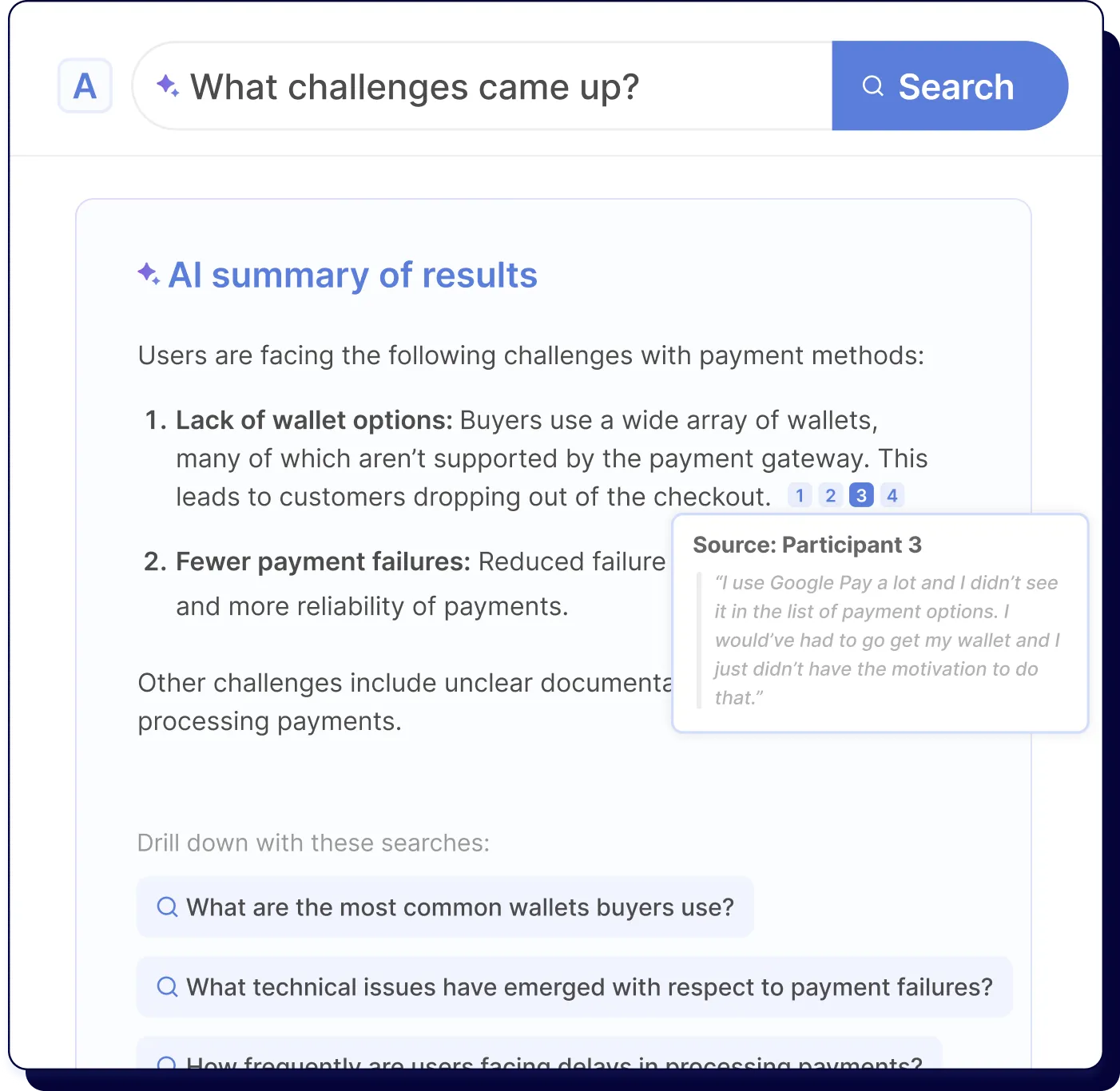
Find answers across projects

Smart search technology enables decision-makers to access insights from your research sources all in one place. Get immediate answers to critical business questions without digging through scattered files.

Summary of onboarding issues: account creation bug causing loading, and too many steps causing drop-off.Search interface showing AI summary of payment challenges highlighting lack of wallet options and payment failures.
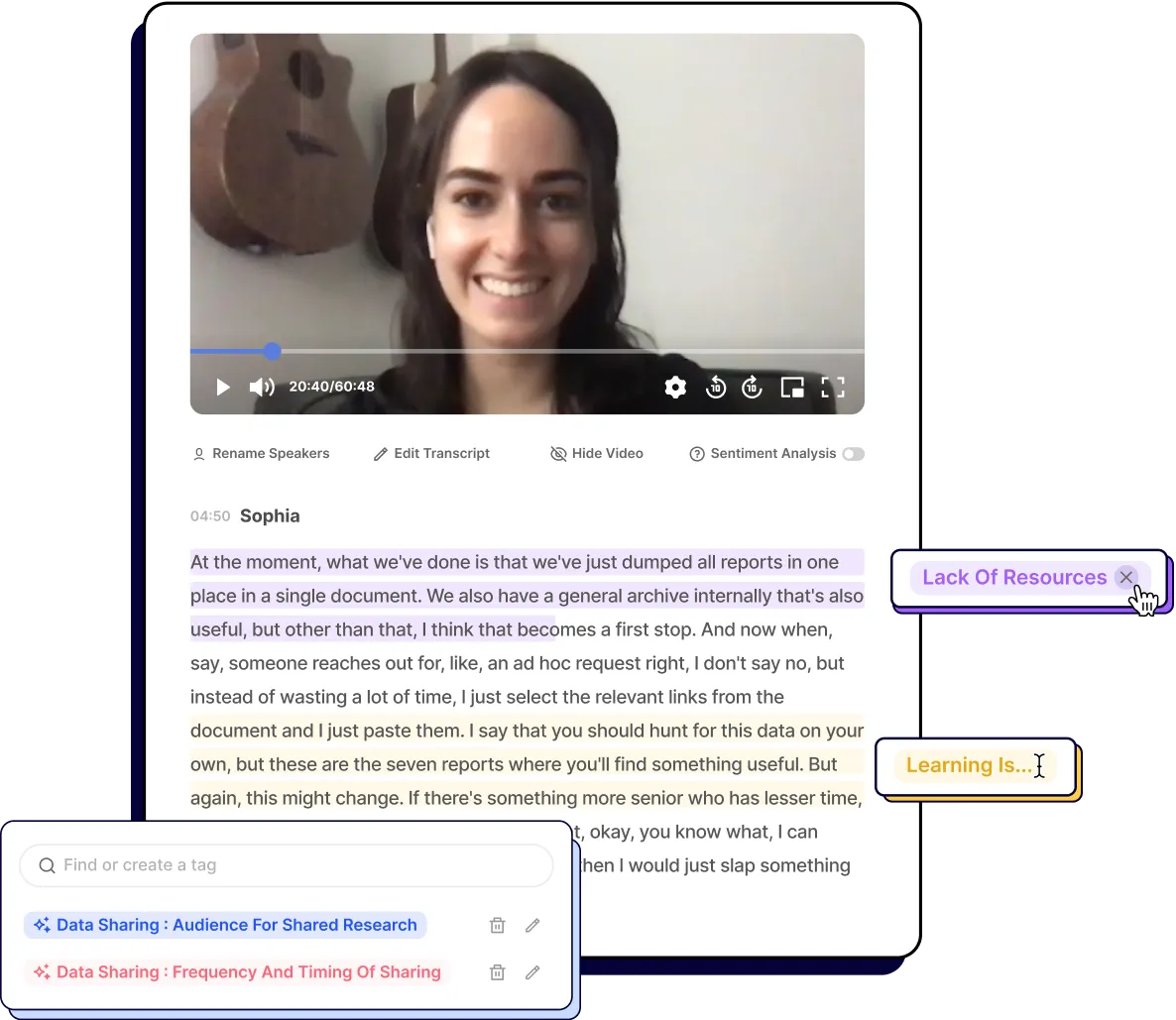
Video screen with a smiling woman and highlighted transcript text with tags about resources, learning, and data sharing.

Trust the quality of your insights.

Our purpose-built AI allows for complete transparency and control. Trace every insight back to its source, edit tags at any time, and build organizational confidence in your research findings.

Analyze any data type with AI

Green circle with a white check mark in the center

Recordings

Green circle with a white check mark in the center

Survey open-ends

Green circle with a white check mark in the center

App reviews

Green circle with a white check mark in the center

Notes & docs

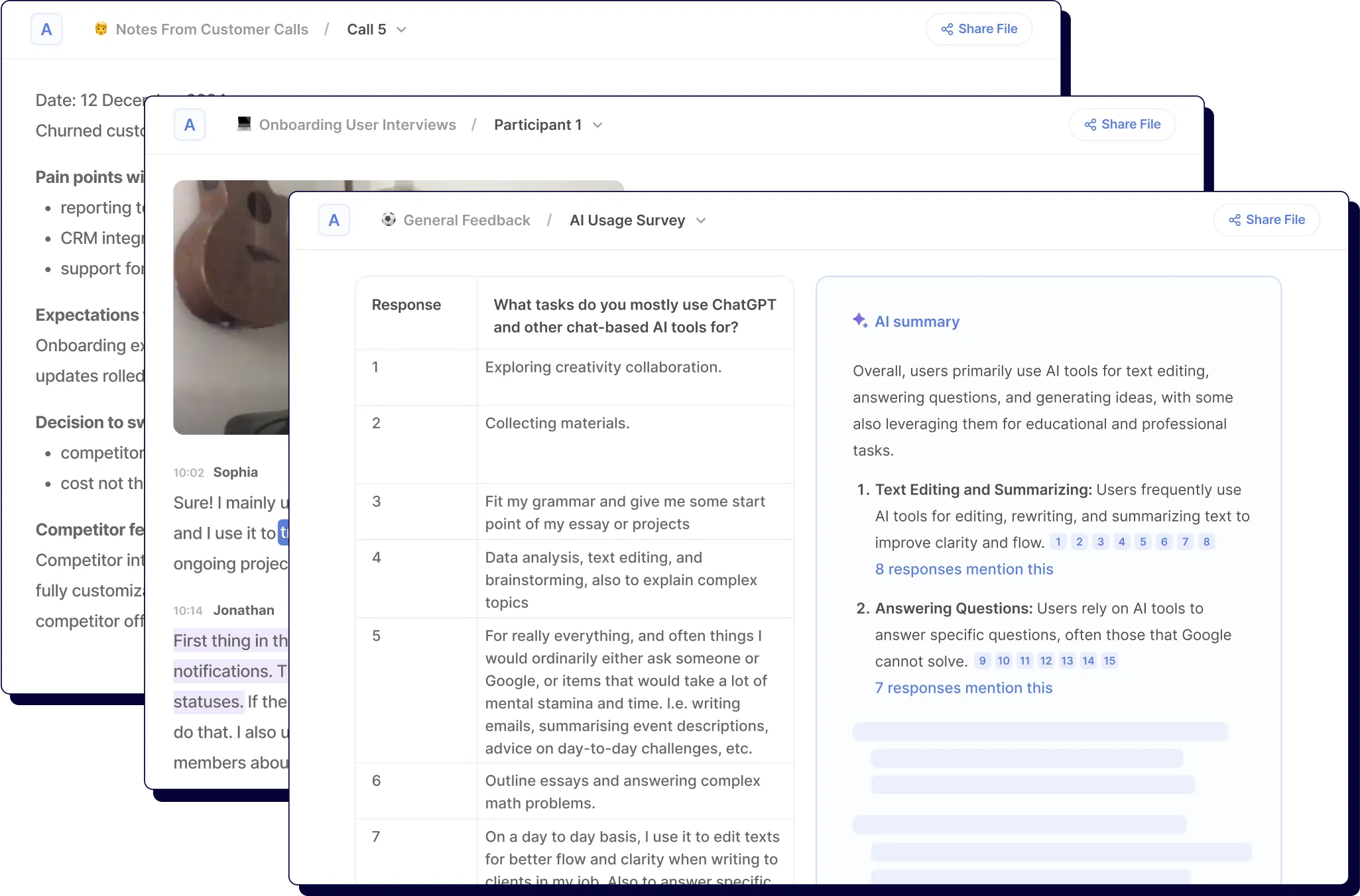
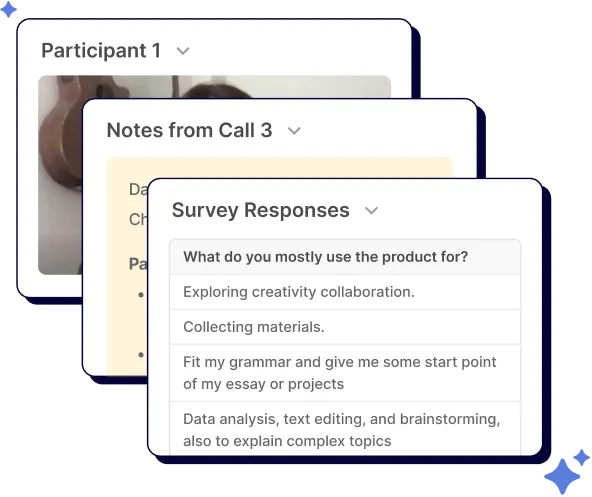
Screens showing customer call notes, user interview, and AI survey with ChatGPT use responses and summary.Stacked screenshots showing a participant, call notes, and survey responses about product usage.

Uncover themes that drive decisions

AI-thematic analysis auto-discovers patterns and connections in minutes, not days. Transform raw feedback into actionable business intelligence that guides strategic product decisions.

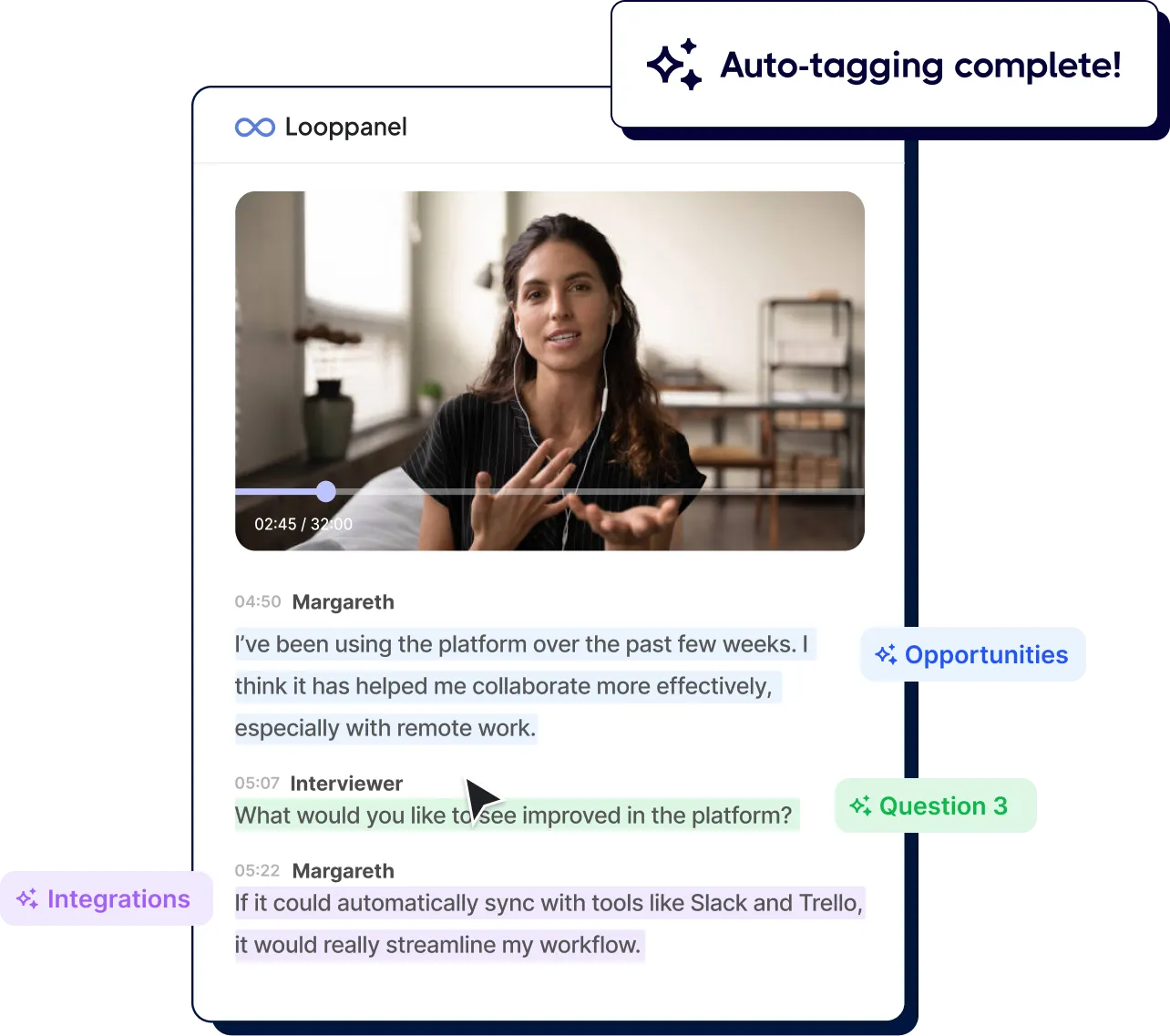
Video call screen with a woman speaking and dialogue tagged as Opportunities, Question 3, and Integrations.
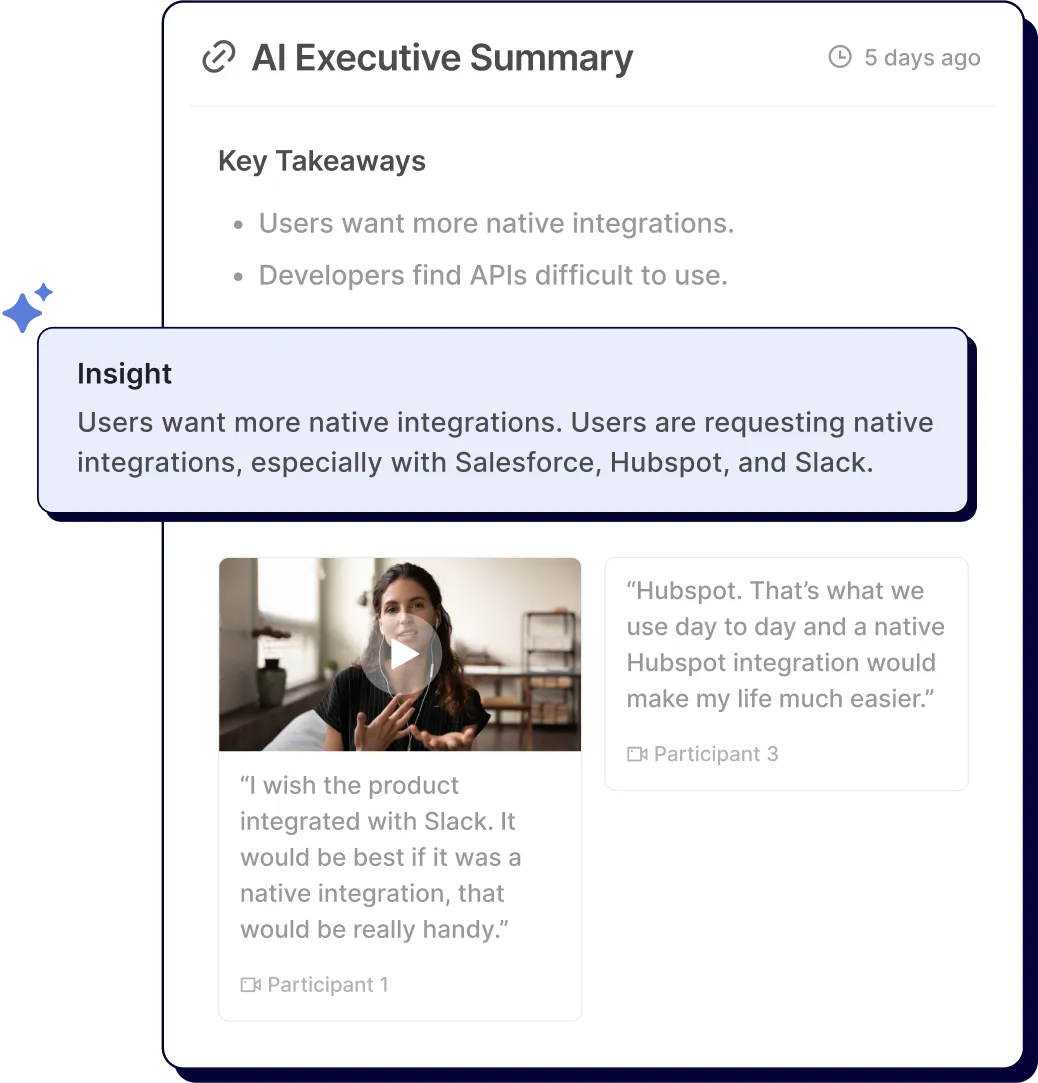
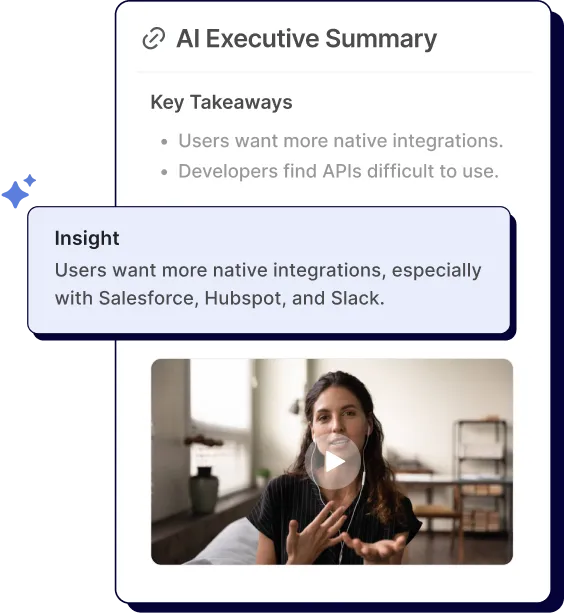
AI summary highlights user requests for native integrations with Salesforce, Hubspot, and Slack.Screenshot of AI Executive Summary showing key takeaways and a video thumbnail of a woman speaking.

Share project insights instantly

Automatically distill your research into polished summaries your stakeholders will love.

Customers say auto-tagging is a must-have

The AI notetaker does an incredible job of selecting important quotes and summarizing them.

Smiling man with curly hair wearing a patterned shirt against a brick wall background.
Dan M
UX Researcher at Postmedia

Frequently Asked Questions

How does auto-tagging work?

Looppanel's AI processes all of your calls, notes, and data together. Using your discussion guide as context, it identifies key themes from each call.

Looppanel tags your notes with themes and sub-themes based on patterns that emerge across each conversation. All the while, you maintain complete control over editing, deleting, or renaming tags as needed.

Can I edit the automatic tags?

Yes, you can review and edit tags.

Our AI features are built on principles of trust, transparency, and traceability, and aim to keep researchers in control. You can always trace AI notes or tags back to their source and edit them at any time.

Can I still make tags myself?

Yes, you can create, edit, delete, or rename your own tags too.

What happens to my manual tags if I use auto-tagging?

Auto-tagging does not make any changes to your manual tags. You will see both your own tags and auto-tags applied to notes.

I have more questions. How can I reach your team?

Drop us a note at support@looppanel.com

Focus on the human parts of research

By clicking “Accept All Cookies”, you agree to the storing of cookies on your device to enhance site navigation, analyze site usage, and assist in our marketing efforts. View our Privacy Policy for more information.